Game
OBS
Chat
One layout
Go live
GAME
LIVE
144 FPS
OBS
1080p60
CHAT
Twitch
Game · OBS · ChatOne click. Restore.
Go live in clicks
Loading...
Game. OBS. Chat. All visible. Lightweight.
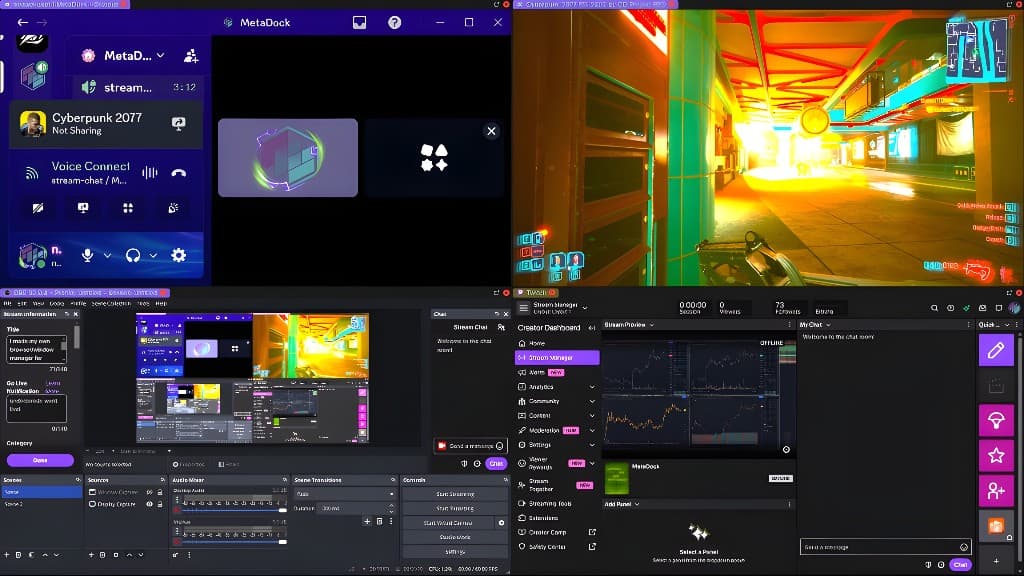
Game. OBS. Chat. All visible.
Before
After
Same setup. Every stream.
Capabilities
Game. OBS. Chat. All visible. One layout.
Rearrange mid-stream. No lag. No chaos.
Lightweight. Runs alongside your apps.
Alerts, chat, DMs—all where you need them.
Switch layouts. One click. Stay in the zone.
Minimal overhead. No bloat. Local data only.
Lightweight. Designed to stay out of your way.
PC restarted? One click. Same setup.
No cloud. Your data stays on your PC.
Real users
“As a Content Creator this is so useful — you can only have so many monitors at once. MetaDock takes care of all the hassle of running so many programs at once on multiple monitors. Now I only need two monitors for my streams.”
“Used it for multi channel streaming on Youtube and Twitch. The software does require some getting used to, but there are guides on Youtube.”
“It just works. So far the best browser I ever used. It has more functions than I ever knew I needed.”
FAQ
Chat, OBS, alerts. One workspace.
Windows 10/11 only. macOS coming soon.